velopers
Products / Desktop apps / Private PDF editor
PickPDF
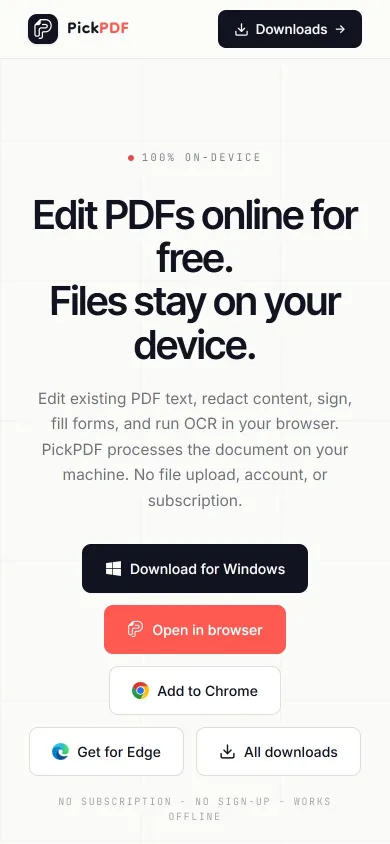
Edit PDFs for free, without your files leaving your device.
PickPDF is a PDF editor that does all of its work on your own computer. It edits the real text in a PDF, redacts, signs, fills forms and reads scans, with no upload, no account and no subscription. It runs in the browser, as an app for Windows, macOS and Linux, and as a Chrome or Edge extension.
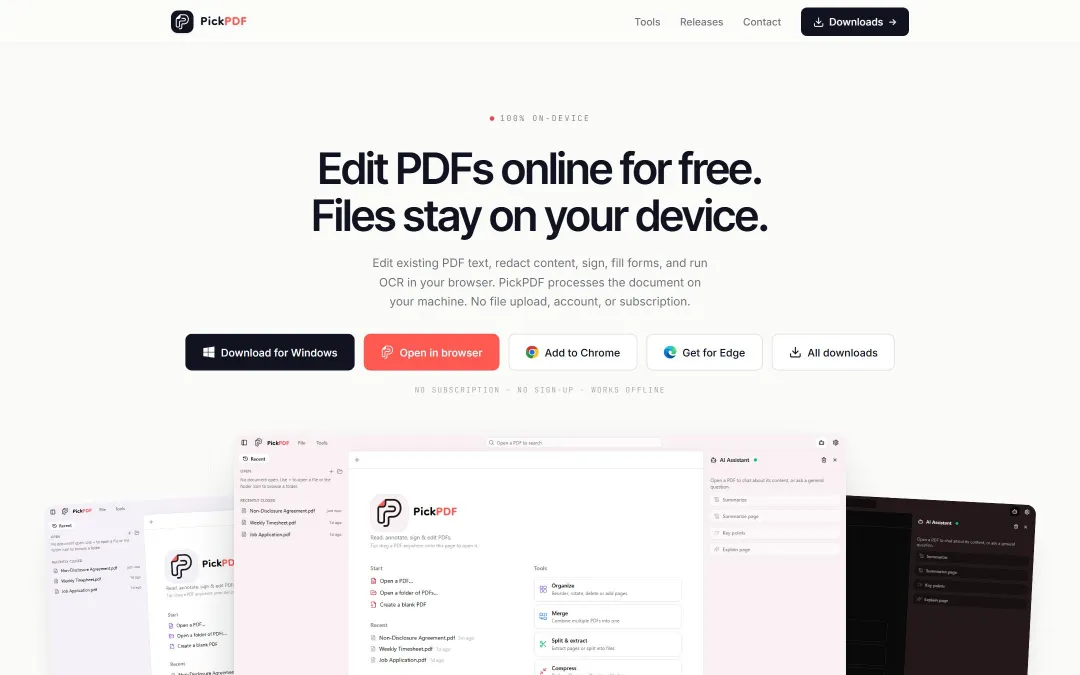
- 0 uploadsfiles are read and saved on your device
- 6 waysto run it: browser, Windows, macOS, Linux, Chrome, Edge
- Offlineworks with no connection once loaded
What it does
Edit the real text
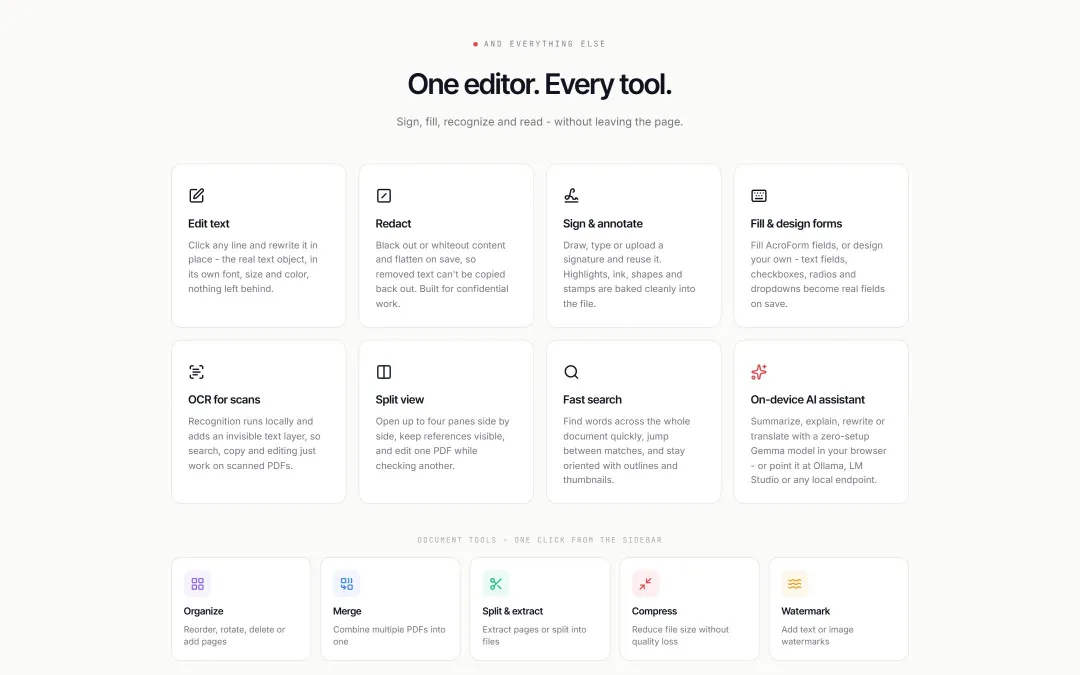
Click a line and change it. PickPDF rewrites the original text in its own font, size and colour, instead of covering it with a white patch.
Redaction that removes
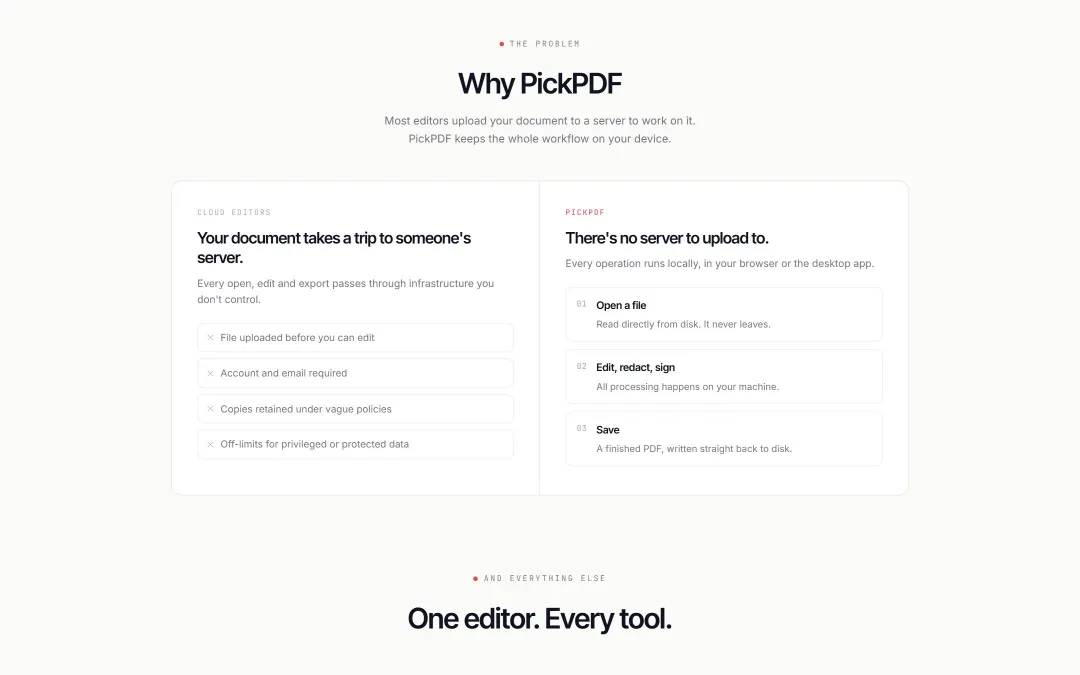
Black out or white out content and flatten it on save, so the removed text cannot be copied back out.
Sign, fill and build forms
Draw, type or upload a signature and reuse it. Fill existing form fields, or add your own text fields, checkboxes and dropdowns.
Read scanned PDFs
OCR runs on your device and adds an invisible text layer, so search, copy and editing work on scans.
Every page tool
Merge, split, reorder, rotate, compress, watermark, number, crop and compare PDFs, and export them to text, HTML or images.
An AI assistant that stays local
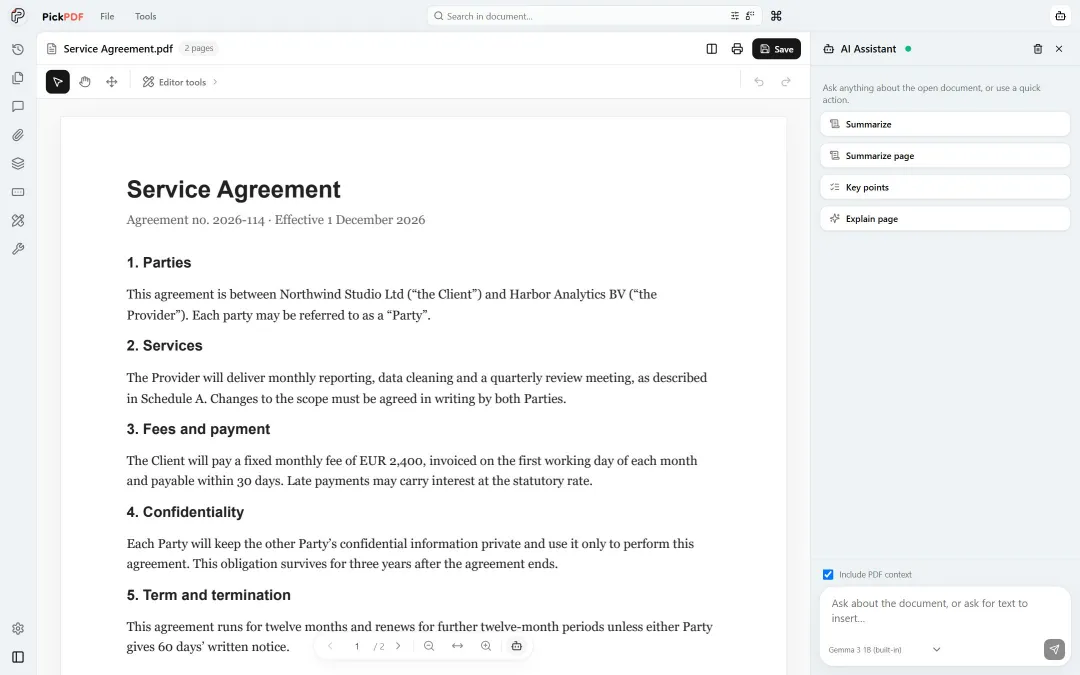
Summarise, explain, rewrite or translate with a Gemma model that runs in the browser, or point it at Ollama, LM Studio or another local model.
A closer look
Screenshots of pickpdf.app as it is today.
Who it is for
It works the same on a phone as on a laptop.
- Lawyers and legal teams working with privileged documents
- Finance and accounting teams handling client records
- Healthcare and admin staff working with patient files
- Anyone who wants a full PDF editor without a subscription or an account
How it works
Three steps, from start to finish.
- 1
Open
Open a PDF from your disk, in the browser or the app. It is never uploaded.
- 2
Edit
Edit, redact, sign or organise it. All the processing happens on your machine.
- 3
Save
The finished PDF is written straight back to your disk.
Plans
No subscription. One licence for a person, one for a team.
Pro
One-off licence for one person
- A perpetual licence, no subscription
- Install on your own devices
- Card checkout, delivered at once
Team
Per seat renewed yearly
- Seats assigned from one console
- Silent MSI and MSIX rollout, on-premises rights
- Invoice or purchase-order billing
- Priority support and a signed DPA
Built and maintained by Xvelopers.
We designed, built and maintain PickPDF: the editor, the apps for three operating systems, the browser extensions and the on-device AI assistant. Because nothing is uploaded, it fits work where cloud PDF tools are not allowed.
- 0files uploaded to a server
- 3desktop systems: Windows, macOS and Linux
- 2browser extensions, Chrome and Edge
- Local AIsummaries and rewrites on the device